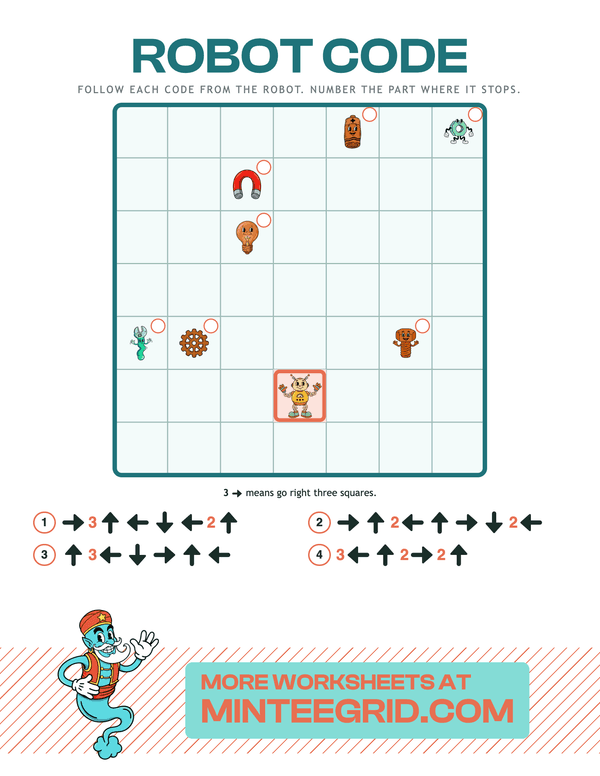
Unplugged coding sheets: follow the arrows, find what the robot reaches
A grid with a robot and the parts it can fetch — a battery, a bulb, a magnet. Under it, four lines of arrow code. Follow each one from the robot, a square an arrow, and write the code's number in the little circle by the part it stops on. Miscount by one and it stops on the wrong part.
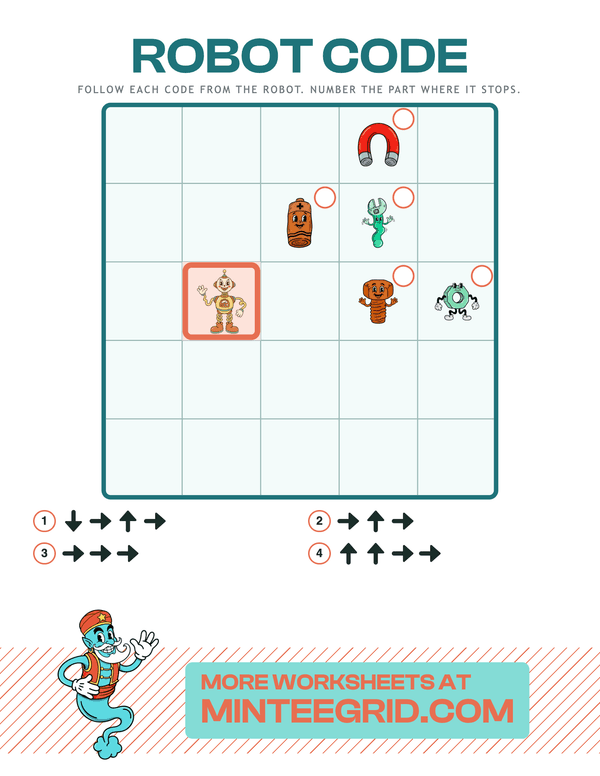
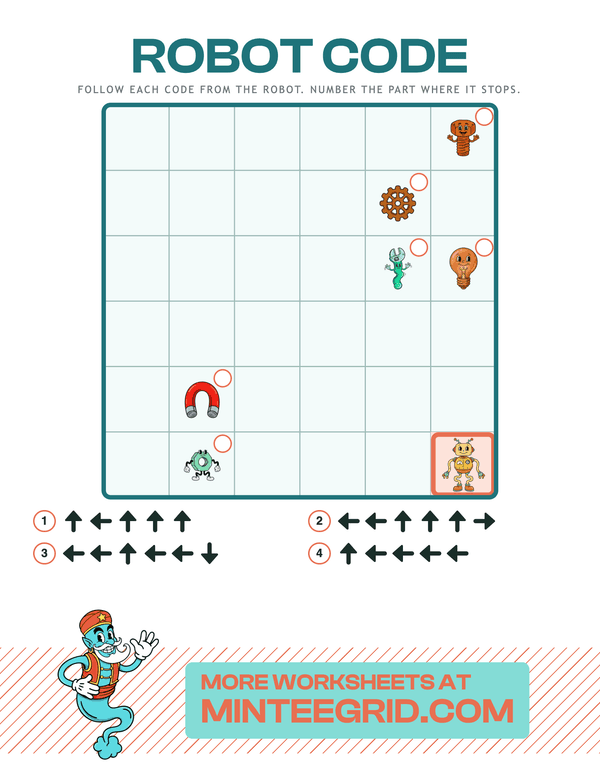
Run the code in your head.
An unplugged coding worksheet generator, printable as a PDF. Pick short codes, longer codes, or codes with repeats, and generate. Arrows mean up, down, left and right on the page. Every code starts from the robot, stays on the grid and ends on a different part, and there are more parts than codes, so some circles stay empty; the harder level writes three steps right as “3 →”, the first idea of a loop.
1 token a sheet, fewer in batches.
US Letter PDF — prints on any home printer.
Start
Every code starts from the robot, on the square with the thick border.
Run
One square per arrow, the way it points. A number means that many.
Write
Put the code's number in the circle beside the part it stops at.
Codes
Four codes a sheet. With repeats writes “3 →” for three steps right, the first idea of a loop.
Your worksheet lands here — download, print, or email it.